


Nagarro aura
Manage your user authorizations at data field level in your SAP systems with aura (attribute-based access control for SAP )
Take your data privacy and security in SAP to the next level by making your user authorizations dependent on field-based conditions and rules with aura, which is specially developed in Nagarro'nun R&D Center

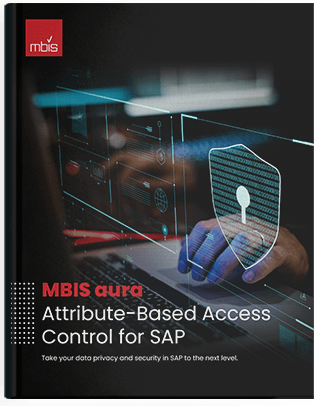
Nagarro aura, Attribute-Based Access Control for SAP
Download our e-Book and discover how to take your data privacy and security in SAP to the next level.
DownloadMain functionalities of aura

Prevent entry
You can prevent data entry to the fields for the users you choose.

Field masking
If you possess SAP UI Masking license, you can show the specified SAP fields with applying masking.

Field hiding
Within the rules, you can make any field invisible on the screen for specified roles and user groups

Mandatory entry
You can enforce SAP fields to be filled in for specified roles or individuals.
The logic of aura

aura’s technical features
Use a flexible structure while ensuring your company complies with the Personal Data Protection Law with Nagarro aura. You can easily integrate with the actions you can adapt to your system.

SAP GRC integration
As aura creates standard user roles, they can be included in the SAP GRC system and its workflows.

Predefined rule set
aura comes with more than 30 predefined rules created by using best practices.

Exception management
aura is able to assign a role to all users and discard designated users as exceptions.

Creating conditions
Single or chained (by using AND | OR) conditions can be created in aura, by using any type of ABAP comparison operators.

Non-standard SAP screens
aura can also be used for modified (non-Standard) SAP screens.

Cockpit
aura brings a user-friendly management cockpit to create rules and conditions.

Column-based authorization
aura is capable of hiding columns in ALV, ListView and other types of SAP report formats.

Rule creation
aura allows companies to create their own rules in accordance with their specific needs (e.g. hiding, making fields mandatory).

Reliable security
aura assures its rules are applied to all selected users even for the users with SAP -ALL rights.
aura workflow

Why aura?

Protect your trade secrets
You can assure that only the users you allow can view your critical and sensitive trade secrets data, such as formulas and information in the product recipes.

Restrict access to personal data
In order to ensure your GDPR / KVKK compliance, you can prevent anyone from viewing sensitive personal data except for the ones with granted access rights.

Ensure information confidentiality
You can enable your users in sales or other functions to see only their own information on the same screens.

Prevent fraud
You can control the information in SAP fields that may cause business and financial losses if changed.
aura:
Examples of pre-defined Rules
- Hiding material and quantity information in product recipes (BoM)
- Changing the material definition in purchasing documents
- Not being able to change payment terms and currency configurations in purchase documents
- Not being able to change shipping information (incoterm, shipping port, etc.) in purchase documents
- Not being able to change alternative payee field in purchase invoice
- Prevention of main account changes in purchase documents
- Unlimited delivery blocking in purchase orders
- Not being able to change goods receipt indicators that come from customizing in purchase orders
- In the purchase order, MG Not Valued and MG Based Invoice Control parameters are closed to change
- Not being able to change price information in material master data
- Prevention of changing critical data such as vendor reconciliation account, tax office, tax number, bank, payment term and IBAN number
- Not being able to change «Purchase value key» in material master purchase view
- Not being able to change the delivery time, payment terms, «Invoice Control Based on Goods Receipt» indicator and net price information in the purchase information record
- Hiding price cost information in material inventory report (MB52)
- Not being able to change the useful life and fixed asset class information in the fixed asset master data
- Prevention of unplanned supply ancillary costs
- Prevention of entering the posting date field in purchase invoices
- Preventing the recording date field from being changed on the material movements screen
- Preventing access to currency rate information field on purchase invoices
- Changing the material definition in the sales order
- Changing payment terms in sales documents
- Price and condition information cannot be changed in the sales order
- Hiding prices in sales reports
- Not being able to change customer group (Dealer, agent) fields in sales documents
- Not being able to change pricing and invoicing dates in sales documents
- Not being able to change payment terms in invoice documents
- Currency entry and change in sales documents
- Change of address and information of «Receiving the Goods» on delivery
- Not being able to change the record date fields in Sent Delivery and other material transactions
- Not being able to change the registration dates in sales and accounting invoices
- Not being able to change the IBAN, payment terms, bank and tax office information in the customer master data
- Prevention of main account changes in sales documents
Watch aura for SAP Introduction Video

Resources
Explore trends, SAP technologies, news and insights through the eyes of Nagarro team

Nagarro'nun sunduğu SAP S/4HANA Finance Çözümü ile
kazanan siz olun.
Bu dokümanın amacı, bir S/4HANA Finance projesinin hazırlık aşamasında yapılması gerekenlere dikkat çekmek ve implementasyonun geri kalanının daha sorunsuz ilerlemesini sağlamaktır.
Download

